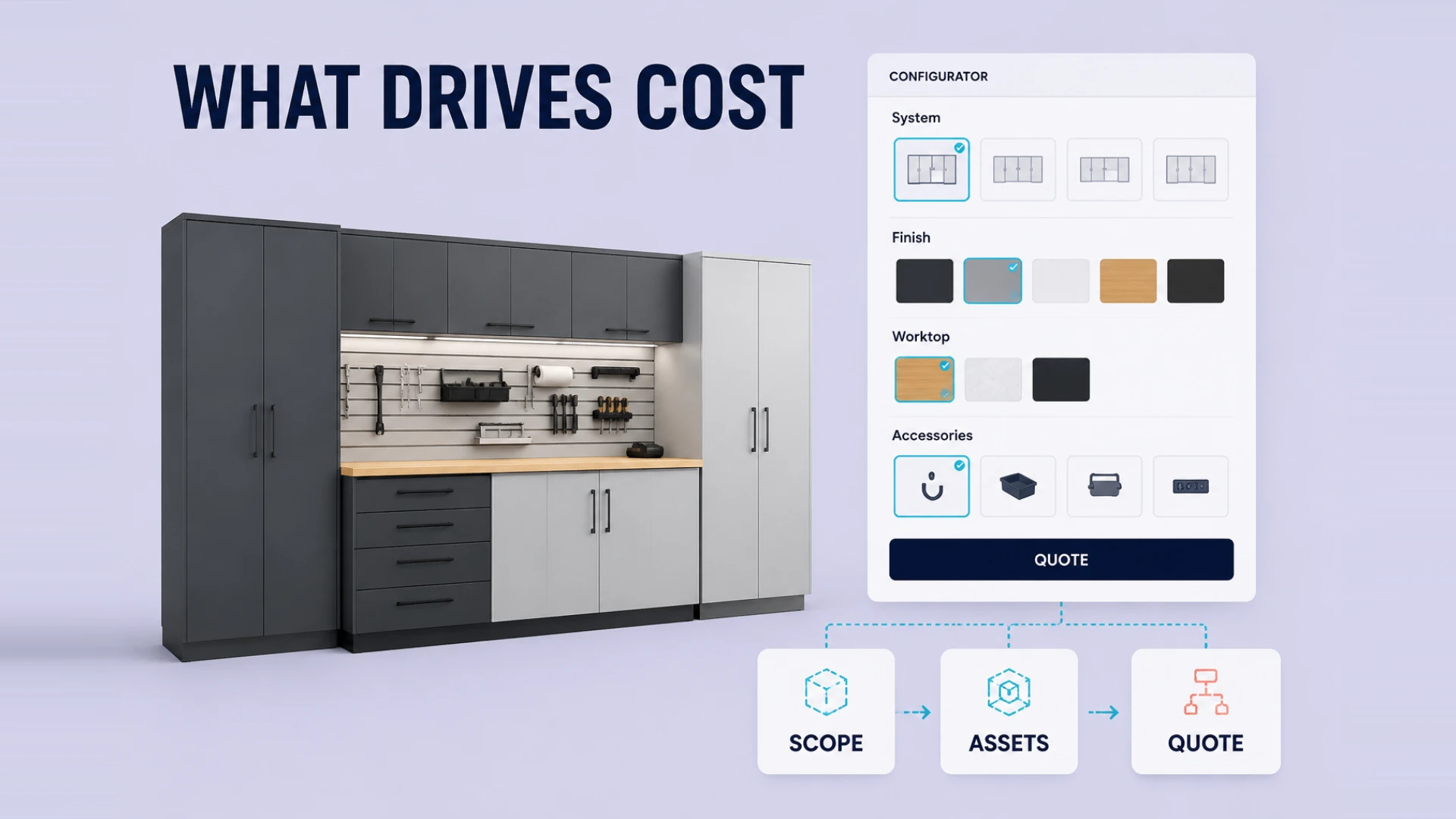
One of the first questions brands ask when they talk to us about a Shopify 3D configurator is also the most reasonable one: how much does it actually cost?
That question matters because these projects look deceptively similar from the outside. Many teams see a product page where users can switch colors, materials, or accessories and assume all configurators belong to the same budget range. In reality, one project may be a relatively light build with limited product logic, while another may require heavy 3D asset cleanup, deep Shopify integration, real-time pricing rules, and a backend workflow that operations can actually use.
That is why pricing can vary so dramatically. It is not simply about building a 3D page. It is about how much business logic, technical integration, and visual fidelity you expect that page to handle.
Why Pricing Varies So Much
At WESHOW3D, we usually evaluate Shopify 3D configurator projects through four big lenses before we even talk about scope in detail.
1. How Complex the 3D Asset Really Is
Some products are fairly straightforward. A few material swaps, a handful of color options, maybe one or two accessory changes. Those projects are still real work, but they stay within a more controlled range.
Other products are a different story entirely. Furniture, windows and doors, aftermarket vehicle parts, industrial equipment, packaging systems, and highly customized consumer products often come with:
- multiple interchangeable parts
- option dependencies
- dimension changes
- geometry updates
- pricing logic attached to configuration choices
Once a project reaches that level, the cost is no longer shaped by visuals alone. Asset preparation, state management, and performance strategy all become major parts of the quote.
2. Whether the Interaction Is Simple or Business-Critical
This is one of the most common sources of budget confusion.
A configurator that only swaps visible materials or toggles components is one type of project. A configurator that has to enforce compatibility rules, recalculate price, update SKU logic, and pass meaningful order data into Shopify is a very different type of project.
For example:
- selecting option A may disable option B
- a size change may deform or rebuild the model
- the selected combination may alter pricing and availability
- the final configuration may need to generate structured order metadata
That jump from "visual interaction" to "operational logic" is one of the biggest cost drivers.
The 6 Biggest Factors That Shape the Quote
Model Count and Visual Quality
Are you configuring one flagship product or an entire line?
Are you aiming for a clear and functional 3D presentation, or a premium brand-level material finish?
The more models you need and the higher the visual bar, the more work is required in asset preparation, optimization, and rendering quality.
Configuration Logic Complexity
This is where a lot of brands underestimate scope.
The interface may look clean, but the real work sits underneath it. Complex rule systems mean more engineering around state management, validation, price calculation, error handling, and configuration persistence.
Shopify Integration Depth
Many teams assume "Shopify integration" means a simple add-to-cart button. In practice, the hard part is mapping the configuration result into something Shopify and your operations team can actually use:
- how the selected configuration is passed into line-item properties
- how dynamic pricing is reflected correctly
- how order data stays readable for internal teams
- how the front end stays in sync with catalog and fulfillment logic
If you want the technical side of that broken down further, our article on Shopify 3D configurator integration pitfalls goes deeper.
Backend Control Requirements
Some projects only need a front-end experience. Others require the brand team to manage pricing, options, materials, accessories, copy, and even market-specific rules over time.
Once you add an admin layer, the project stops being a single marketing page and starts behaving more like a real product system.
Device and Channel Support
A desktop-first configurator is one level of work.
A configurator that must also run smoothly on mobile, tablet, or touchscreen display hardware is another.
Mobile Web3D especially forces harder choices around file size, rendering load, interaction design, and performance stability.
Delivery and Maintenance Expectations
Some brands only need a first version for launch. Others expect the configurator to evolve with campaigns, new components, new regions, and ongoing optimization.
If the configurator is expected to keep supporting revenue operations after launch, pricing should be evaluated as part of a longer-term business tool, not a one-time design asset.
Which Brands Usually Benefit Most
To be blunt, not every Shopify store needs a 3D configurator.
If you sell low-ticket products with minimal variation and short impulse-buy cycles, you may get a better return from stronger merchandising, better PDPs, and sharper paid acquisition.
But a Shopify 3D configurator becomes much more compelling when your business looks like this:
- the product is customizable or modular
- customers need to compare materials, sizes, or parts before buying
- flat product images do not explain the product well enough
- the sales cycle is slowed down by repeated manual clarification
- your store is supposed to do more than just display products
In those situations, the configurator is not just a nice upgrade. It becomes a way to reduce friction, improve buying confidence, and make high-intent traffic more productive.
The Better Question Is Not “How Much?” but “What Does It Improve?”
The most useful way to evaluate budget is not by comparing headline numbers alone. It is by asking:
- Will this reduce manual sales back-and-forth?
- Will it help customers complete configuration faster?
- Will it improve the quality of order data inside Shopify?
- Will it make higher-value products easier to sell online?
If the answer is yes, then the configurator stops being just another cost line. It becomes part of your revenue infrastructure.
And if you are still trying to decide whether you need a full configurator or simply a better Web3D product experience, the next two articles to read are When Should a Shopify Store Invest in Web3D? and Why E-commerce Brands Need a 3D Product Configurator.
If you are already moving from budget questions into technical execution, the next useful read is Building a Product Configurator with Three.js. And if the real concern is how to keep 3D assets light enough for production, continue with How to Optimize 3D Models for Web.