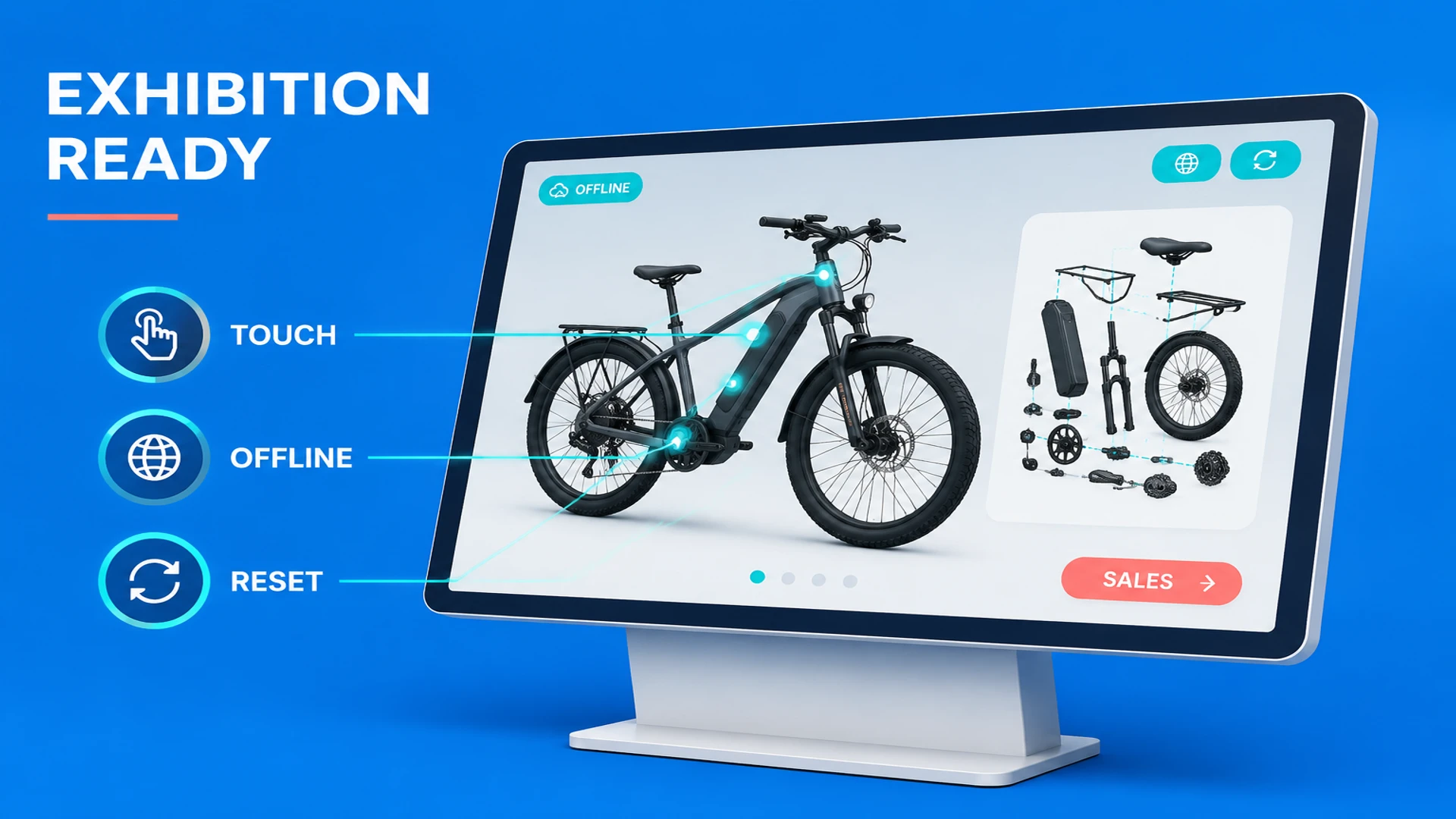
An exhibition interactive 3D screen is often treated as a website enlarged onto a display. That assumption creates avoidable failures. Exhibition networks may be unreliable, the screen may have an unusual aspect ratio, several visitors may touch it at once, and the application may need to run for hours without supervision. A Web3D page that works on a developer's office computer can behave very differently on a booth device.
The core of exhibition interactive 3D screen development is therefore not adding the most visual effects. It is designing a reliable product demonstration system around the tasks visitors and booth staff need to complete.
How an exhibition display differs from a website
A normal website can assume a visitor will browse at their own pace and that a server, external assets and a stable connection are available. A booth application needs to attract attention quickly, support repeated demonstrations and fit a fixed hardware setup. Define these conditions before building:
- Is the display landscape, portrait, tiled or a touchscreen kiosk? What are the resolution and safe areas?
- Is the interaction single-user touch, multi-user touch, mouse and keyboard, or tablet control by staff?
- Does the venue provide a reliable network, or must the application run fully offline?
- Is the visitor expected to browse a catalog, understand a product structure, compare models or submit an enquiry?
WESHOW3D's Interactive Web3D application service covers touchscreen, showroom, exhibition, multilingual and offline delivery scenarios. The earlier the constraints are known, the easier it is to keep hardware, asset and interaction scope aligned.
Core development decisions
1. Start with a visitor task
Most exhibition interactions last seconds or a few minutes. The home screen should make product categories, featured models and a clear start action immediately available. Useful interactions may include 360-degree viewing, hotspots, exploded views, sectional states, operating animations and model comparison, but every feature should support a specific explanation.
For each product, prepare a short path: overall view, key selling point, internal structure, application context, then a document or enquiry action. Staff should be able to switch between free exploration and guided presentation, and return to the initial state with one obvious reset action.
2. Design for standing touch interaction
Large-screen controls should not simply copy desktop navigation. Buttons need sufficient touch area and spacing, important states need clear feedback, and every detail view needs an easy way back. On a 4K screen, the interface must remain readable instead of becoming visually tiny; on a portrait display, the model and information panel need a different composition.
Language controls should stay in a predictable location and switch product names, specifications, hotspot explanations and downloadable materials together. Staff-only shortcuts can support demo mode, reset and content diagnostics, but they should not be easy for visitors to trigger accidentally.
3. Plan offline deployment at the architecture stage
If the venue connection is uncertain, the application should not depend on remote APIs, third-party fonts or external images during startup. An offline package usually includes models, textures, fonts, copy and required data, with a local startup method or installable static application. If the system captures leads, define how offline submissions are stored, synchronized after connectivity returns, and protected.
Offline delivery also needs a content update process. Replacing a model or correcting a translation before the show should be managed through clear resource folders and version numbers, rather than an emergency change across unrelated code. The online website can reuse optimized assets, but its caching and integration behavior still needs separate testing.
4. Test performance like a real booth
Polygon count, material count, texture size and post-processing all affect frame rate. Test the actual screen and host computer for first load, interaction frame rate, memory use, continuous runtime, device temperature and restart recovery. A high-end development laptop is not an adequate substitute for the final booth hardware.
Typical optimizations include removing hidden geometry, consolidating materials, compressing textures, splitting initial resources, reducing unnecessary shadows and preparing device-specific quality levels. Preserve detail on the product area visitors need to inspect, and lower quality for background elements that do not support the story.
Turn a booth interaction into a sales path
The value of a booth display is not limited to visitor attention. After the product story, give the visitor a natural next step: scan an online product page, download a specification sheet, request a demo, submit contact details or find a distributor. A QR code can lead to the same product experience on the website, allowing the visitor to continue after leaving the booth while the sales team records the interested model and source.
For complex product demonstrations, the CIFTIS 3D Flying Island project provides a useful digital exhibition reference. For a broader online product experience, connect the booth version with a Web3D product viewer. Shared assets still need separate testing for screen size, loading strategy and interaction rhythm.
Exhibition interactive 3D screen delivery checklist
- A versioned inventory of models, textures, animations and copy.
- Compatibility records for the screen, host computer, touch hardware and audio.
- Verified online, offline and disconnected-start behavior.
- Tested catalog, hotspots, sectional states, exploded views, language switching and reset flows.
- Installation, auto-start, recovery and staff operation instructions.
- A QR code, enquiry form, download path and synchronization plan for post-event follow-up.
A good exhibition Web3D system behaves like a dependable presenter: visitors can explore, staff can guide, the experience can recover after a restart, and interest can move back to the website and sales process. To scope the project, share the product, screen specification, network condition and desired lead action through the WESHOW3D services page.