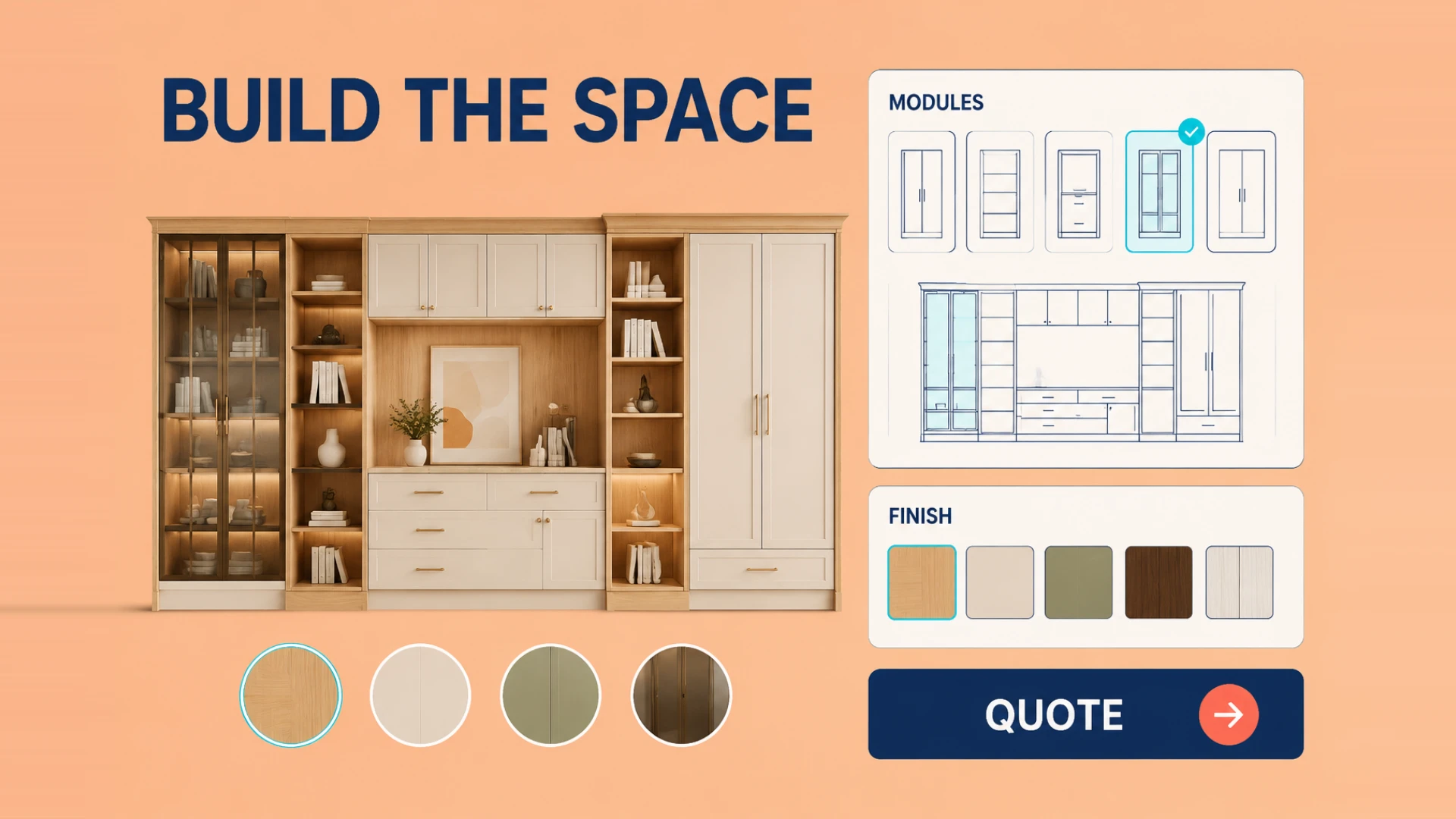
If you manufacture or sell custom furniture, modular cabinetry, or wardrobe systems online, you are likely all too familiar with this painful cycle:
A customer lands on your e-commerce store or wholesale portal wanting a custom wardrobe or kitchen unit. Because every piece involves dozens of variables—door finishes, handle styles, internal shelf setups, and dimensions—your sales process completely relies on manual CAD drafting and static 2D rendering.
Communicating through back-and-forth emails to confirm revisions takes weeks. Worst of all, a single measurement mistake can turn an international shipment of heavy custom wood products into a painfully expensive return problem.
This is why furniture brands may evaluate a web-based 3D Furniture Configurator on their sites. It can let customers review selected dimensions and materials before the quote and sampling steps.
The Business Problems Worth Solving in Furniture Customization
Traditional furniture sales workflows are painfully slow because every revision depends on a human being manually translating vague customer feedback into a new drawing, a new quote, and usually another round of email clarification. That is manageable when you sell a few standard SKUs. It falls apart when buyers are choosing combinations of finishes, storage layouts, dimensions, and accessories that all affect manufacturing and pricing.
The hidden cost is not just time. Sales teams get stuck repeating the same explanations, designers spend their days churning out revised quotes, and customers lose confidence because they never feel certain that the final cabinet, wardrobe, or island will actually look like the concept in their head.
How an Online 3D Cabinet Configurator Streamlines Sales
When a customer engages with a real-time 3d cabinet configurator, the purchasing experience transforms into an intuitive, interactive build process:
- Modular Drag-and-Drop & Live Resizing: Buyers can adjust unit width, height, and depth on the fly to match their exact room dimensions, adding drawers, hanging rods, or corner baskets with instant 3D model deformations.
- Photorealistic PBR Textures & Materials: From natural wood grains and matte lacquer to glass panels and fabric upholstery, Physically Based Rendering (PBR) faithfully reproduces light reflections and fine textures directly in the browser.
- Interactive Door Animations & Exploded Views: Users can open doors and drawers with a click to inspect internal storage, or trigger exploded structural views to see hardware fittings and assembly joints.
- Dynamic Pricing & Shopify Cart Integration: When component rules, pricing logic and interfaces are defined, the configurator can recalculate the total and submit BOM (Bill of Materials) metadata to the Shopify cart or an enquiry flow. If you worry that a configurator can hurt conversion when done badly, our breakdown of why standard 3D configurators fail to convert is worth reading next.
Once that experience is in place, the commercial effect is usually bigger than "the website looks nicer." Buyers spend longer on product pages because they are actively building instead of passively scrolling. Sales teams receive better-qualified inquiries because the customer has already narrowed down materials, measurements, and style direction. For exporters and custom factories, that often means fewer quoting loops, fewer preventable mistakes, and faster movement from first inquiry to deposit.
The Toughest Performance Issue Behind High-Detail Models
Balancing Ultra-Fine Detail with Lightning Loading Speeds
A common question furniture executives ask us is: "Furniture assemblies have thousands of mechanical parts. Won't a full 3D interactive model crash browser mobile tabs?"
It’s a valid engineering challenge. Loading and interaction performance should be measured against the agreed model, network and target devices rather than a universal time threshold.
Through WESHOW3D’s Web3D asset workflow, we plan mesh processing, material preparation, and loading strategies around the target devices, then validate the interaction result. For the implementation path, continue with our complete guide to adding 3D models to a website.
From Furniture Configurators to Broader Web3D Capability
End-to-End Web3D Solutions by WESHOW3D
Building high-converting 3d furniture configurators is one of our flagship specializations at WESHOW3D. Beyond custom furniture software, WESHOW3D delivers comprehensive interactive 3D engineering across six core pillars:
- E-Commerce Product 3D Display: 3D models with 360° rotation, exploded views, functional animations, and multimedia hotspots.
- 3D Configurator: Custom product configurators with option rules, visual previews, and integration with standalone platforms or Shopify where the interfaces are defined.
- Interactive 3D Applications & Offline Touchscreens: Custom 3D software for trade show booths, Android/Windows interactive kiosks, mini-programs, and multi-language offline displays.
- 3D Digital Twin Systems: Digital replicas of physical equipment connected to real-time sensor data for monitoring, diagnostics, and predictive maintenance.
- VR/AR & Spatial Computing Development: WebXR browser solutions alongside native Unity, Unreal Engine, and Apple Vision Pro apps for next-generation immersive applications.
- High-End 3D Animation & Rendering: Studio-grade 3D modeling, commercial product videos, key visual renders, and CGI marketing assets.
If your custom furniture or cabinetry business is ready to move beyond static photos, WESHOW3D can help you build an interactive experience that makes complex products much easier to buy. Explore our 3D furniture configurator solution to review the product logic, material system, quote flow and integration scope. For modular product rules, read our modular furniture 3D configurator analysis.