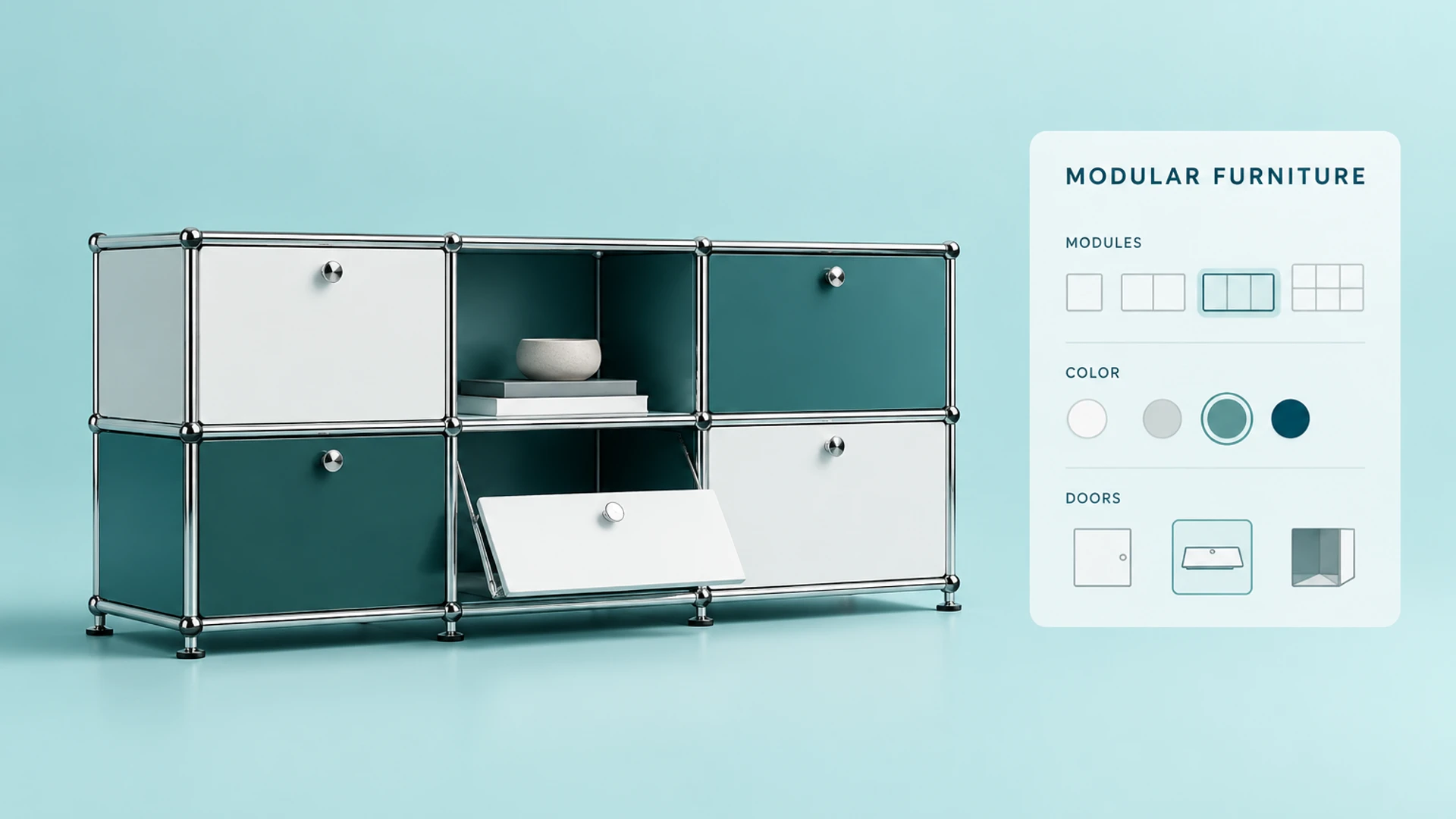
The value of modular furniture is not limited to the appearance of one product. It comes from combining modules into a solution that fits a room, workplace and use case. Before buying, customers need to understand dimensions, levels, panels, colors, accessories and compatibility. A flat catalog or a few renders rarely communicate the final result clearly enough.
USM Haller is a useful research reference for this type of configuration logic. Its product concept can be understood as a system of standardized modules, connectors, panels and accessories that must be combined within defined rules. This article examines how a similar modular furniture 3D configurator could be designed from a Web3D and product-system perspective.
Important scope note: WESHOW3D has not delivered a USM project. This article is an independent technical study based on publicly observable modular furniture logic. It does not represent USM, imply an official partnership or authorization, or present a USM client case. The illustration is a generated concept inspired by modular furniture, not an official USM product image.
Why modular furniture fits a 3D configurator
Move from viewing a product to building a solution
Modular furniture buyers usually need to make three types of decisions:
- Spatial decisions: whether the combination fits the room and respects width, height and depth constraints.
- Visual decisions: how panel colors, finishes and opening states work together.
- Structural decisions: whether modules can connect and whether doors, drawers, shelves and accessories are compatible.
A 3D configurator can bring these decisions into one browser experience. When a user changes an option, the model, dimensions, combination preview and configuration summary update together. Sales teams can then continue with quoting from the same configuration instead of repeatedly explaining static images.
Core capabilities for a USM-style configurator
1. Module selection and combination editing
The first layer is a library of base modules: open compartments, modules with doors, drawer units, desk modules and storage units. The interface can use a module library, drag-and-drop or a guided sequence, but every interaction should return a clear result.
Useful interactions may include adding, removing and duplicating modules, positioning modules on a grid, switching horizontal or vertical combinations, choosing presets for shelving or sideboards, and using step-based selection on mobile.
2. Materials, panels and accessories
The value of modular furniture often comes from finish and detail choices. Colors, panels, handles, casters, shelves and other accessories should be managed as data-backed options rather than hard-coded buttons.
Each option should define its 3D material or model state, compatible modules, price or lead-time impact, conflicting options and product code for quoting. This keeps the visual preview aligned with commercial data. Colors should come from approved brand swatches and material references rather than attractive but unmanufacturable substitutes.
3. Dimensions, quantities and space preview
Customers need to know how much space a combination occupies. The system can show total width, height, depth and module count, with a simple wall or room context for scale.
For higher spatial precision, the experience can add wall dimensions, clearance warnings, door-opening checks, locked total dimensions, front/side/top views and a downloadable dimension or configuration summary. A browser preview does not replace site measurement, installation review, structural checks or final production approval.
The critical layer: configuration rules
A model switcher without a rule engine can become a tool that looks configurable but cannot produce a valid order. A USM-style modular system needs its product rules organized before the interface is built.
Rules usually fall into four layers:
- Structural rules: which modules can connect and how connectors and orientations are determined.
- Dimension rules: standard sizes, combination limits and spatial constraints.
- Option rules: whether a color, panel, drawer or accessory supports the current module.
- Commercial rules: price, inventory, lead time, regional availability and quote approval.
Each change should tell the user whether the option is available, needs another condition or makes the current combination invalid. Immediate validation reduces frustration and repeated sales clarification.
Connecting the 3D preview to quoting
Turn a configuration into useful business data
A production-ready furniture configurator should not save only a screenshot. Once a user confirms a combination, it can generate structured data containing module and accessory lists, product codes and quantities, dimensions and finishes, camera or scene state, estimated price or quote identifier, and contact details.
Depending on scope, this data can connect to an enquiry form, CRM, ERP, Shopify or another business system. Price calculation, inventory and order submission must be based on approved product data and interfaces, not on an unverified front-end display.
Why a quote workflow can be better than forcing checkout
Modular furniture may require site review, installation checks, regional delivery rules and customization approval. A configurator can create a reviewable proposal first, then move the customer to an enquiry or sales confirmation step. This preserves online exploration without treating an unverified configuration as a final order.
Performance and asset preparation
Furniture configurators often contain repeated modules, materials and accessories. Before launch, the team should reuse geometry and materials, hide non-interactive detail, compress textures, separate configuration data from 3D assets, test rotation and switching on desktop and mobile, and prepare loading and recovery states for weak networks.
There is no universal Web3D performance threshold outside the context of a model, network, target device and key interaction. Those conditions should define the test plan.
How WESHOW3D could deliver this type of project
Although we have not delivered a USM project, a modular furniture configurator can be approached in the following phases:
- Product rule discovery: document modules, dimensions, finishes, accessories, compatibility and quote data.
- Asset preparation: build reusable Web3D models, materials and states from approved brand information.
- Interaction prototype: validate module selection, combination editing, dimension feedback and mobile flow.
- Rules and integration: connect configuration validation, BOM, enquiry and business interfaces.
- Real-device acceptance: verify the experience and data on target browsers, devices and sales environments.
The project can start with one module family or representative combination, then expand to a complete catalog after the rules, assets and commercial workflow are validated.
Conclusion
USM Haller-style modular furniture is a strong candidate for a 3D configurator, but the hard part is not simply putting furniture in a browser. The system must connect module rules, material states, spatial dimensions and quote workflows in a reliable way.
Brands considering a similar tool should prepare their catalog, module codes, dimensions, approved finishes, compatibility rules and quote process before starting 3D asset and interaction development. WESHOW3D can assess the Web3D path, delivery boundaries and integration requirements from those materials.