Real-time customization
Switch colors, materials, components and product options while the model updates immediately.
Plan and build a production-ready 3D product configurator that turns complex options into a clear path for product discovery, quotation and purchase.

A production-ready 3D product configurator connects product data, compatibility rules, pricing and the commercial workflow behind your business. We design the model, interaction layer and Shopify, ERP, CRM or PIM integration as one system instead of adding a disconnected 3D viewer to an existing page.
From 3D assets to business systems, every capability maps to a real use case.
Switch colors, materials, components and product options while the model updates immediately.
Map supported combinations, option dependencies and unavailable states to approved product rules, with feedback when a selection becomes invalid.
Connect selected options to dynamic pricing, quote requests, cart actions, CRM handoff or a purchase workflow.
Prepare lightweight GLB or glTF assets with texture compression, LOD and progressive loading.
Connect the experience to Shopify, ERP, CRM, PIM or a custom product database while keeping options, SKUs, inventory and prices aligned.
Test interaction, touch controls and loading behavior across desktop, tablet and mobile.
Start with a representative product family and agree on valid options, price sources, system interfaces and acceptance checks before expanding the catalog.
Document options, dependencies, price sources and the data required by the cart, quote form or sales team.
Clean, optimize and structure models for real-time web delivery.
Define the configuration flow, state management, UI behavior and error handling.
Test valid and invalid selections, price updates and the configuration received by the cart or quote system on agreed devices.
Deliver the agreed deployment package, product rule and integration documentation, analytics events and maintenance responsibilities.
The output is designed around product education, quotation and conversion—not only visual effects.
Model structure, textures and loading strategy are reviewed before the interface is finalized.
The project can include source code, technical documentation and integration handoff.
Before development starts, we define measurable performance and delivery criteria around your models, devices, systems and business goals.
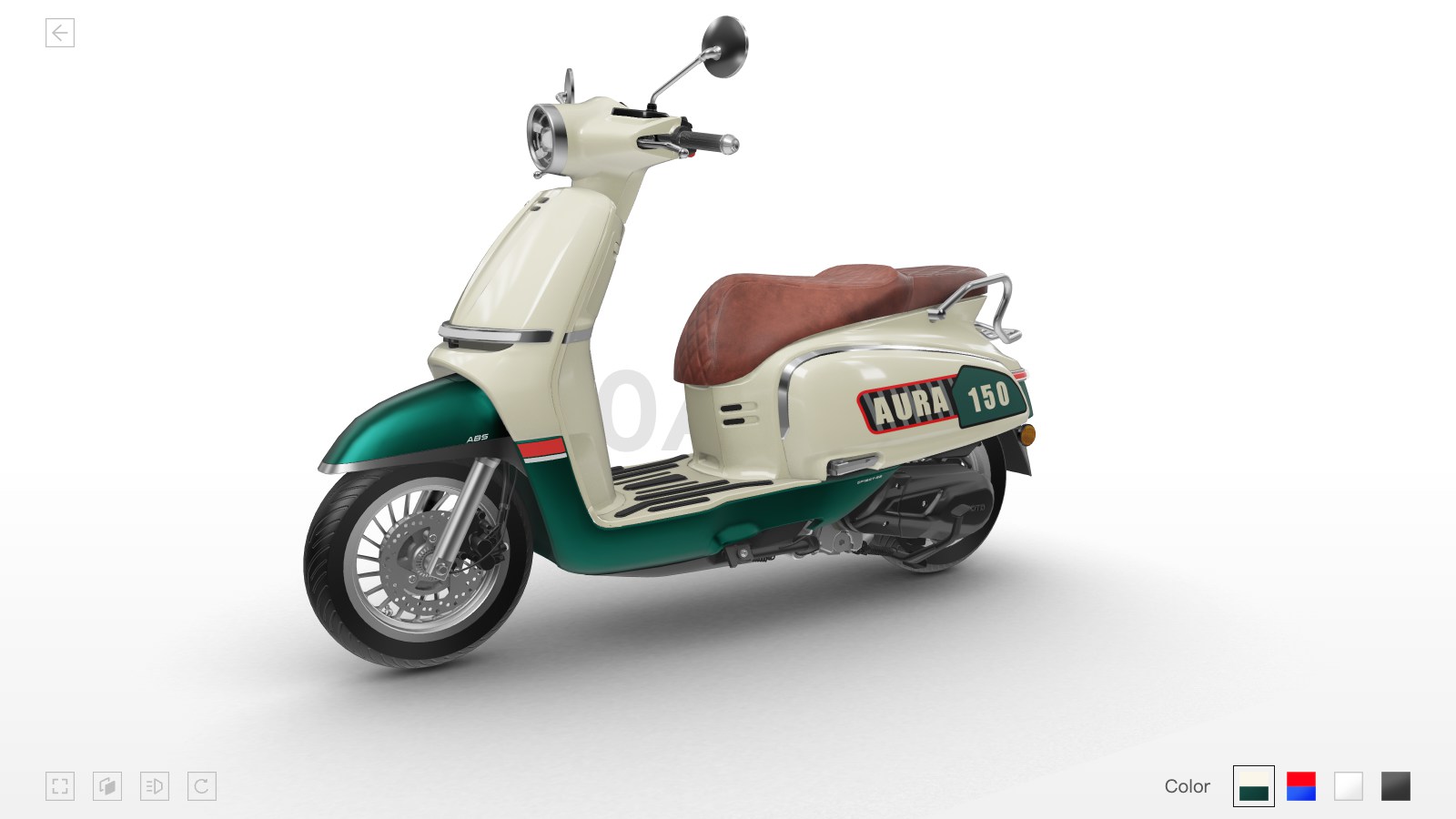
CFMOTO needed dealers and buyers to understand motorcycle details and options online. The delivered Web3D system supports 360° viewing and real-time color, part and accessory selection.
View case ↗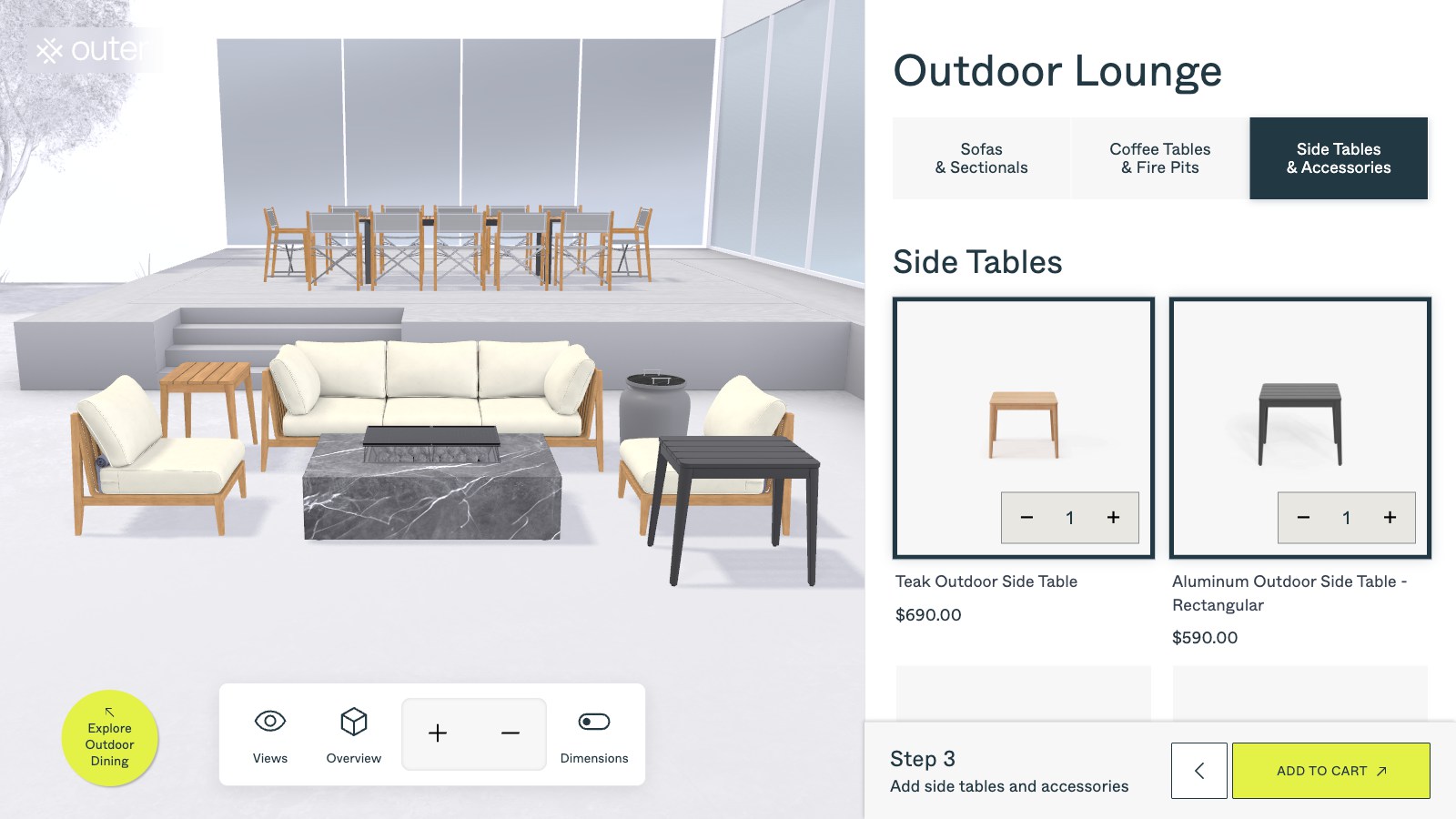
Outer needed to show furniture combinations alongside store data. The configurator supports layout design, material and color changes, with Shopify order and inventory synchronization within the agreed interface scope.
View case ↗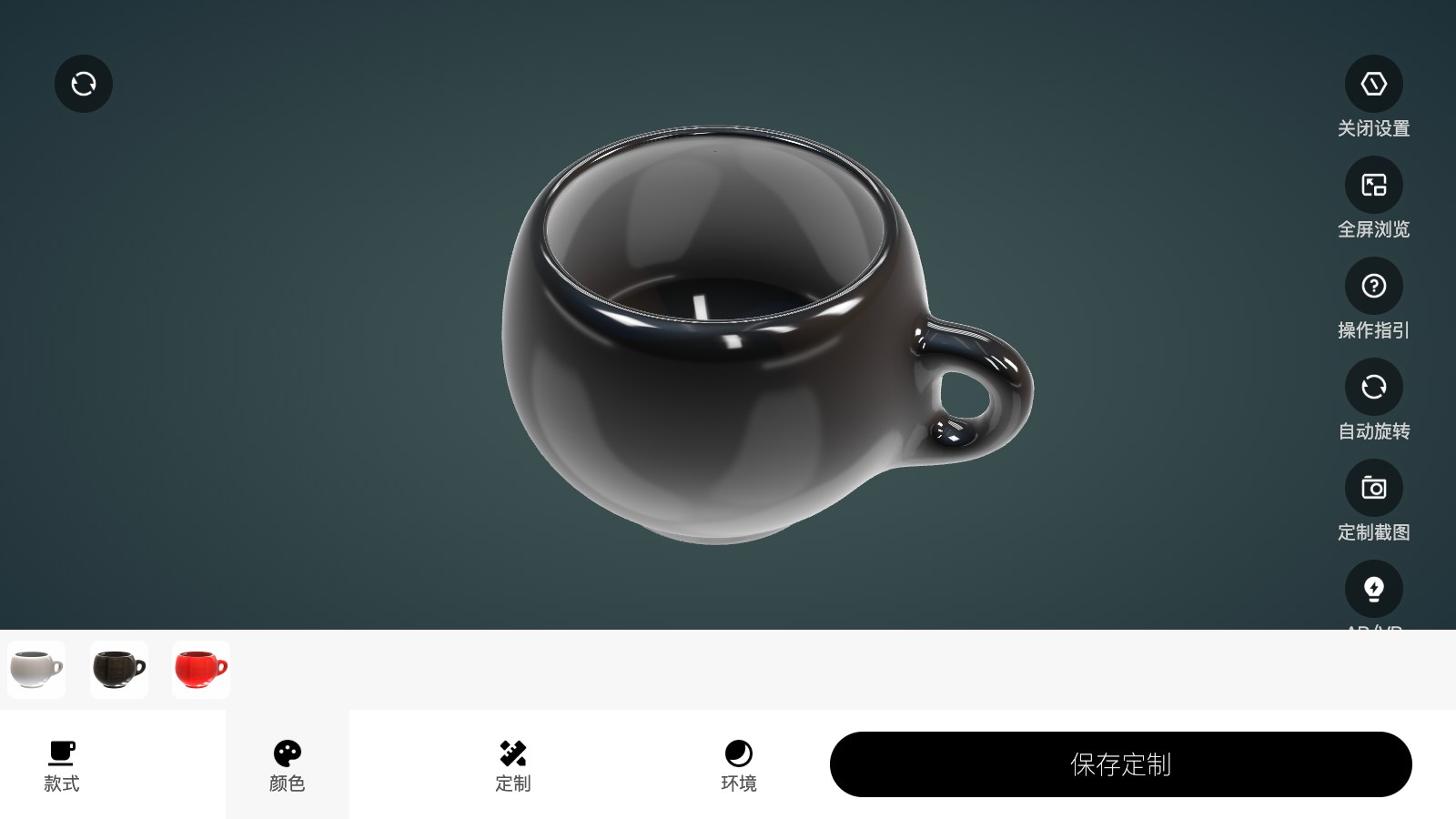
A customization workflow for product artwork, colors and buyer preview.
View case ↗These articles explain the technical choices, performance considerations and business workflows behind the solution.
Products with meaningful options—such as materials, colors, dimensions, components or personalization—usually benefit most. We can assess the option logic before development.
Yes. The integration approach depends on your product data, variant structure, pricing rules and desired action, such as add-to-cart, quotation or CRM handoff.
Useful inputs include product models or CAD files, option rules, pricing logic, reference imagery, target devices and the systems that need to receive configuration data.
We review a representative product family, document supported combinations and price sources, and agree on the interfaces and acceptance checks. Model preparation, product rules, data integration and source delivery are scoped explicitly for the project.
It can include the 3D asset pipeline, option and compatibility rules, material and component switching, price or quote logic, product-data integration, analytics events and responsive delivery.
A viewer helps customers inspect a product. A configurator adds product options, compatibility rules, pricing and a quote, cart or purchase workflow so the selected result can move into a business process.
Share your product options and business rules. We will help you define the right 3D, data and conversion scope.
Discuss Your Configurator ↗